

Install & first run
Requirements: Node ≥ 22.13 (GraphMind uses Node’s built-in SQLite — no native modules, no build step). macOS, Linux and Windows all work.
1. See it work — no API key
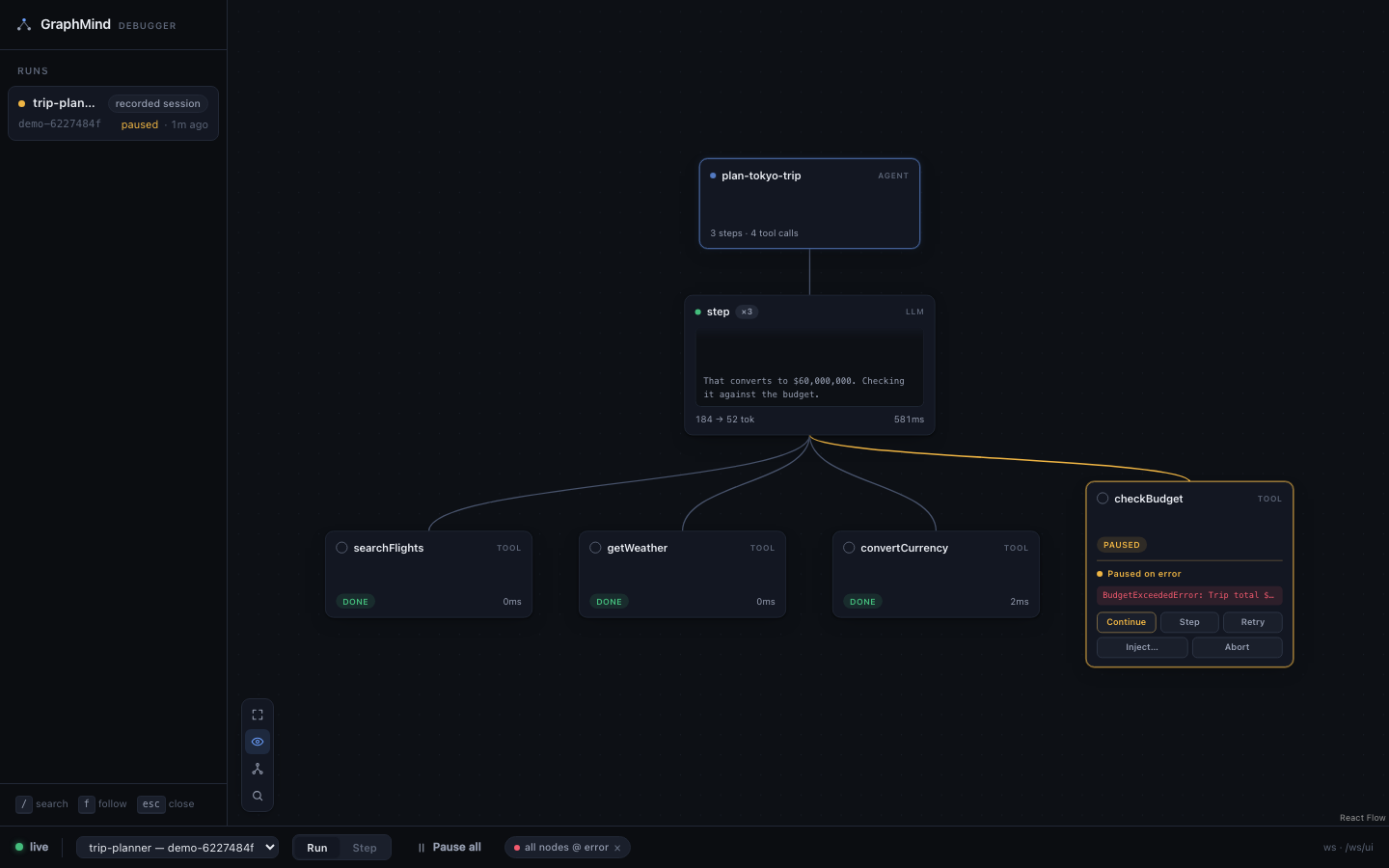
Section titled “1. See it work — no API key”npx graphmind-ai demoThis starts the local server, opens the viewer, and replays a recorded trip-planner agent that
contains a planted bug: convertCurrency inverts an exchange rate, so the budget check
later throws on an absurd total.
The replay is not a video. It goes through the real ingest pipeline and honours the real control
protocol — the planted error genuinely pauses, and continue / retry / inject / abort
from the viewer steer the replay onto the matching pre-recorded branch. It is the same code path
your own agent will take.
Press Ctrl+C when you are done; the server shuts down with it.
2. Start the debugger for your own app
Section titled “2. Start the debugger for your own app”Leave this running in its own terminal:
npx graphmind-aipnpm dlx graphmind-aiyarn dlx graphmind-ainpm i -g graphmind-aigraphmindWith no command, the CLI runs serve: a server on http://127.0.0.1:4747 (always bound to
loopback — never expose the port) and the viewer in your browser. --port moves it, --no-open
suppresses the browser. See the CLI reference for everything else.
3. Instrument your agent
Section titled “3. Instrument your agent”Install the adapter for your framework:
npm i -D @graphmind-ai/sdknpm i -D @graphmind-ai/anthropicnpm i -D @graphmind-ai/openainpm i -D @graphmind-ai/langgraphpip install graphmind-aiThen wrap the two things a debugger needs handles on — the model and the tools — and name the run:
import { graphmind } from '@graphmind-ai/sdk';import { streamText } from 'ai';
const gm = graphmind({ app: 'support-agent' });
const model = gm.wrapModel(anthropic('claude-sonnet-4-5'));const tools = gm.wrapTools({ searchOrders, issueRefund });
// Wait for the debugger handshake so gates are armed from the first event.await gm.ready();
await gm.run('handle-ticket', () =>  streamText({ model, tools, prompt: userMessage }).consumeStream(),);
await gm.dispose();import { graphmind } from '@graphmind-ai/anthropic';import Anthropic from '@anthropic-ai/sdk';
const gm = graphmind({ app: 'support-agent' });
const client = gm.wrapClient(new Anthropic());const tools = gm.wrapTools({ searchOrders, issueRefund });
await gm.ready();
await gm.run('handle-ticket', async () => { // your usual messages.create / tool-use loop, using `client` and `tools`});
await gm.dispose();import { graphmind } from '@graphmind-ai/openai';import OpenAI from 'openai';
const gm = graphmind({ app: 'support-agent' });
const client = gm.wrapClient(new OpenAI());const tools = gm.wrapTools({ searchOrders, issueRefund });
await gm.ready();
await gm.run('handle-ticket', async () => { // your normal responses.create / chat.completions loop});
await gm.dispose();import { graphmind } from '@graphmind-ai/langgraph';
const gm = graphmind({ app: 'support-agent' });
// Full gate set (inject + retry) needs the tool wrappers.const tools = gm.wrapTools({ searchOrders, issueRefund });
await gm.ready();
// gm.config() supplies the callback handler AND its abort signal.const result = await graph.invoke({ messages }, gm.config());
await gm.dispose();import graphmind
gm = graphmind.graphmind(app="support-agent")
client = graphmind.instrument_openai(OpenAI())
gm.ready()
with gm.run("handle-ticket"): ... # your normal loop
gm.dispose()That is the whole integration. Every adapter exposes the same shape — a client/model wrapper (or
a callback handler), wrapTools, run and ready — so switching frameworks does not mean
relearning GraphMind. Each integration page has the complete, runnable version
and the exact gate behaviour for that framework.
4. Run it
Section titled “4. Run it”-
Keep
graphmindserving in one terminal. -
Start your agent normally in another —
node agent.js,tsx agent.ts,next dev, whatever you already do. No flags, no wrapper process. -
Watch the viewer. Nodes appear as the agent reaches them and light up while they execute.
-
When something throws, the run stops there. Pause-on-error is armed by default. Open the inspector, read the inputs, and choose
continue,retry,injectorabort. -
Press ⌘K in the viewer for everything else — jump to any node, filter to the error path, open the timeline. See the viewer.
If nothing appears, work through troubleshooting — it is almost always a port mismatch or a process that exited before the handshake.